Billing, GST and payments
Take cash, UPI, card, gift cards and points on one bill, print or WhatsApp the GST invoice.
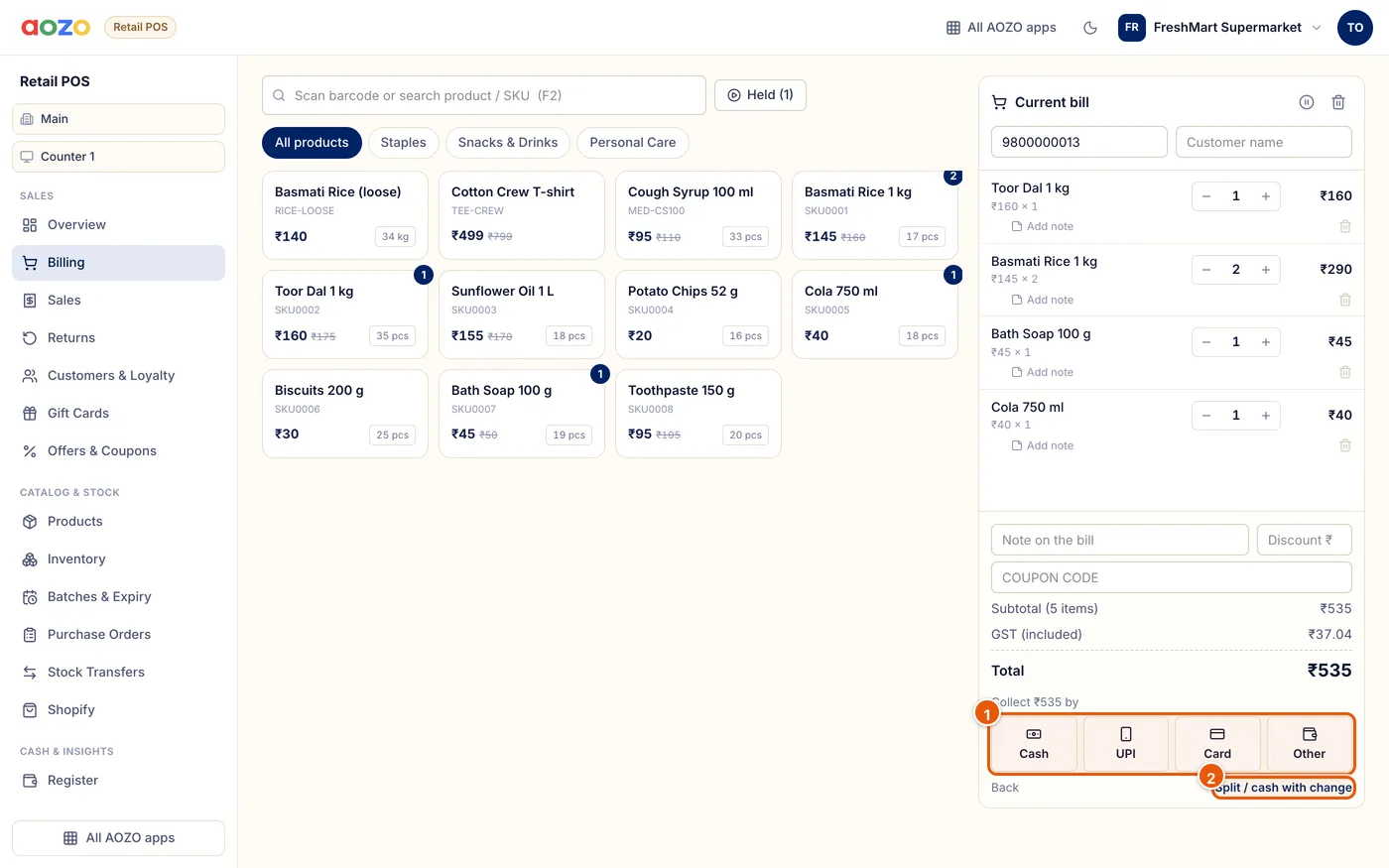
- One tap for a single payment method
- Split the bill, or take cash and give change
#Take payment
Choose Pay
Choose Pay or press F8.
One method
Tap Cash, UPI, Card or Other to take the whole amount.
Split or change
Choose Split / cash with change to mix methods, for example ₹300 UPI and the rest in cash, or to enter the cash handed over and see the change.
Gift card or points
Enter a gift card number or use the customer's loyalty points as part of the payment.
Card, UPI, gift cards and points can never be more than the bill. Only cash can be more, and the extra is shown as change.
#The bill
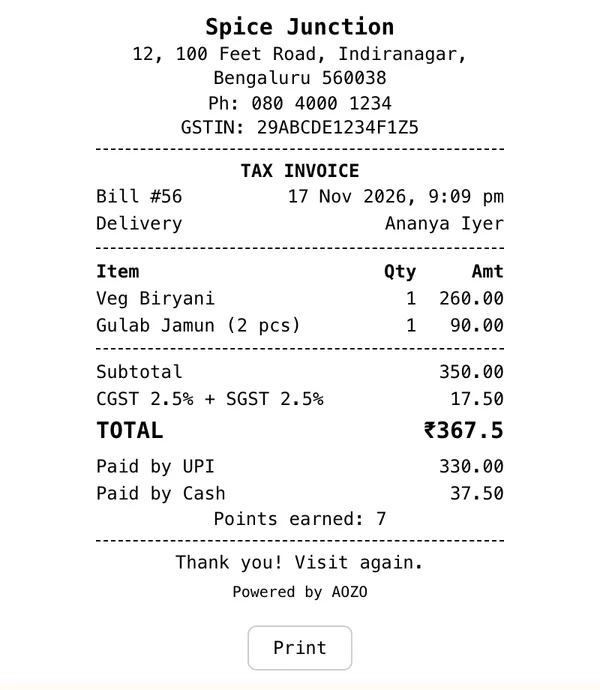
The tax invoice on an 80mm printer.
- Bills show your GSTIN and the tax split into CGST and SGST.
- If your prices include GST, the tax is taken out of the price instead of added on top.
- An optional service charge can be added (restaurant).
#Send the bill on WhatsApp
From a bill, choose WhatsApp. WhatsApp opens with a message and a link to the customer's online bill. Press Send in WhatsApp. No WhatsApp Business API is needed.
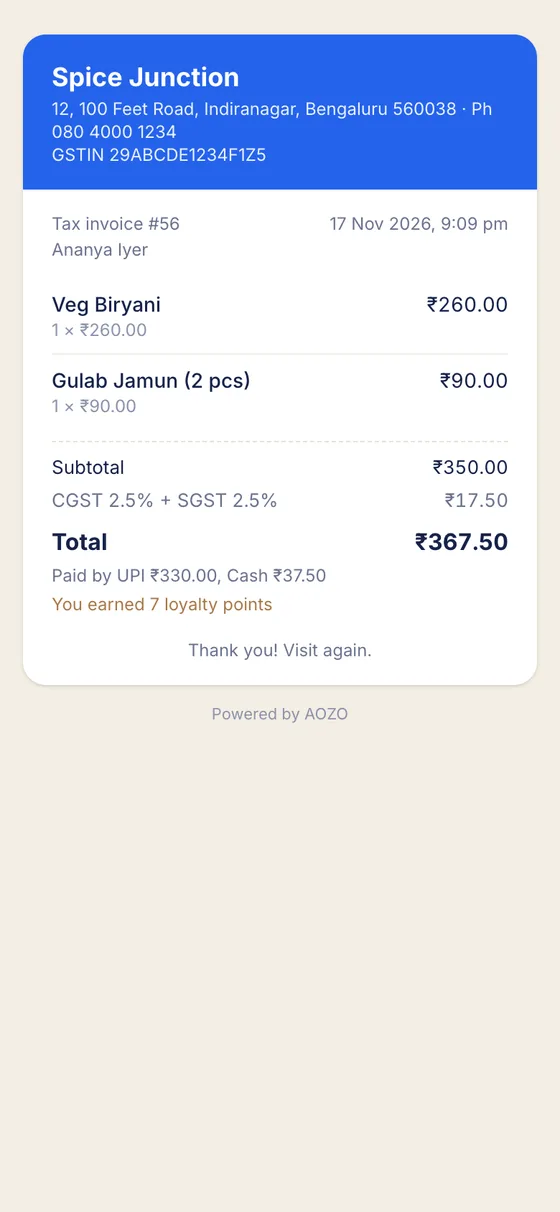
The bill the customer opens from the link.
Please confirm the right tax rates for your items with your accountant.