Register and shifts
Open the cash drawer at the start of the day and count it at the end.
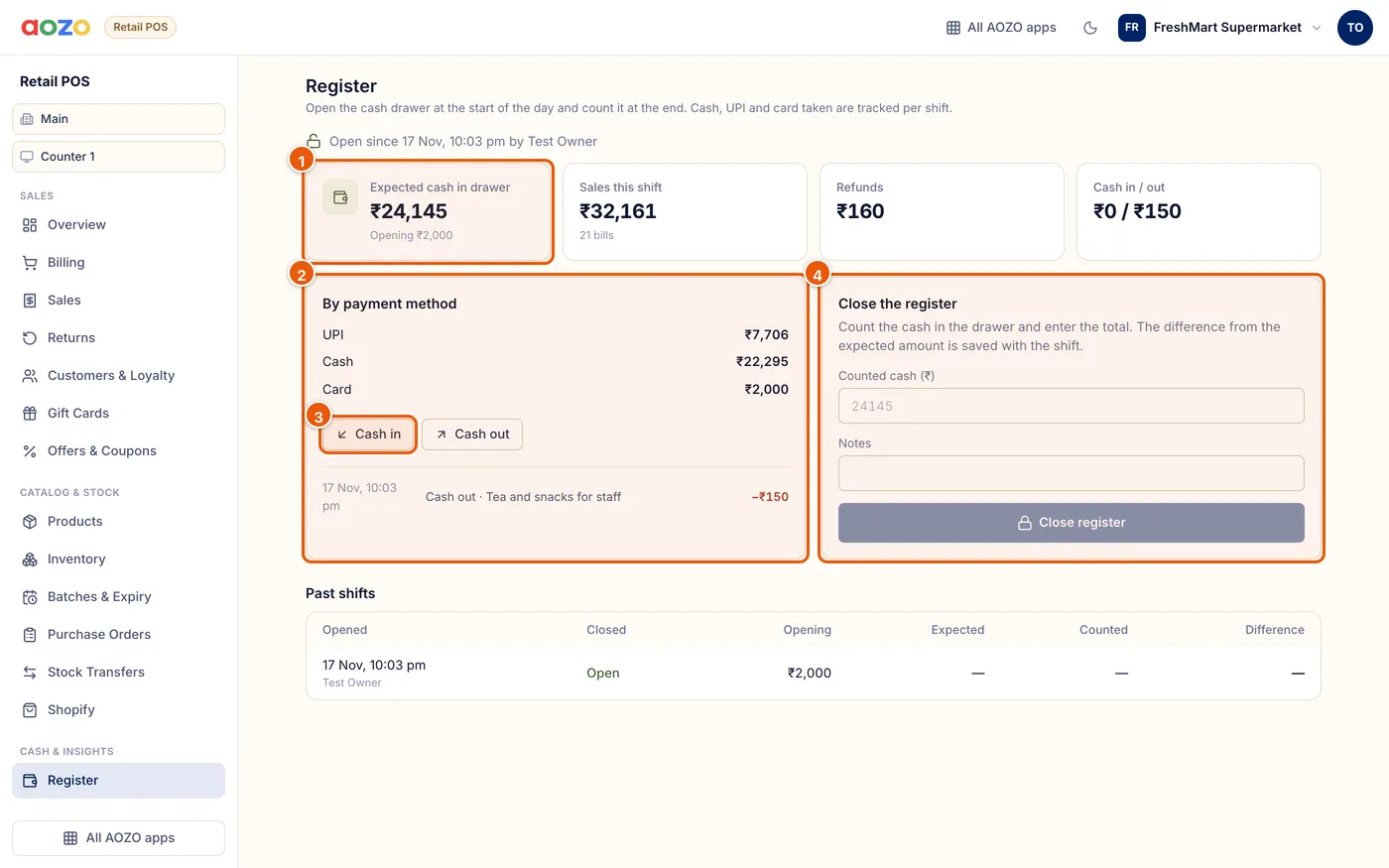
- Expected cash in the drawer
- Takings by payment method
- Record cash in or out
- Count the cash and close
Open the register
Enter the opening cash in the drawer and open the shift.
Cash in and out
Record cash added or taken out during the day, for example change from the bank or tea for staff, with a reason.
Close the register
Count the cash, enter the total and close. The difference from the expected amount is saved with the shift.
- Expected cash = opening cash + cash sales − cash refunds + cash in − cash out.
- Past shifts show who opened them and the opening, expected, counted and difference.
Tip
Turn on “Open the register before billing” in Settings so nobody can bill without opening a shift.